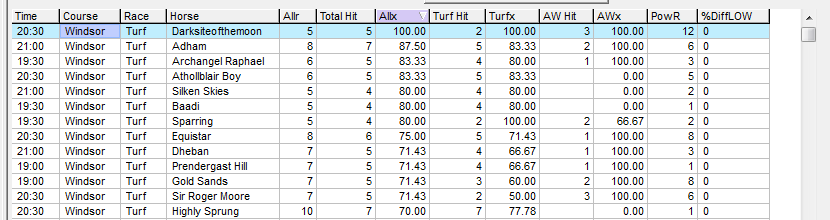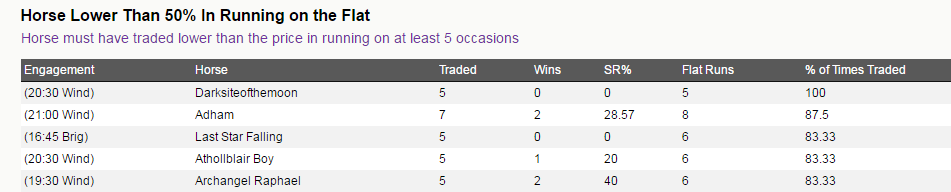
Back to Lay Reports
The in-running (IR) module in Proform is a significant aid to anyone who has an interest in how a race develops IR or wants to see how a horse trades during their performances.
Using our horse racing software you research back to lays, lay to back scenarios and determine which horses will break slowly thus likely to trade higher in running at the beginning of a race.
The In Running Tab in System Builder contains various fields, which can be used to analyse In Running Prices.
Platinum members were able to take advantage of our automated in running reports on our web site however you can generate your own Back to Lay Reports (Flat/Jump) via the system builder.
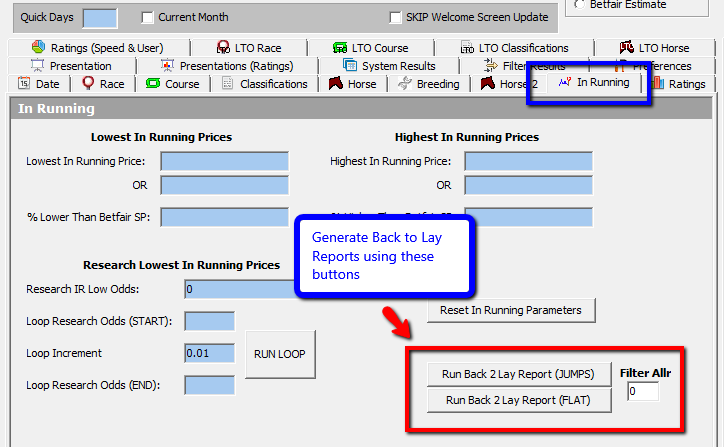
To generate your own Back to Lay reports following these steps
1. Select todays date in the Date Tab and select “Use HORSE decs”
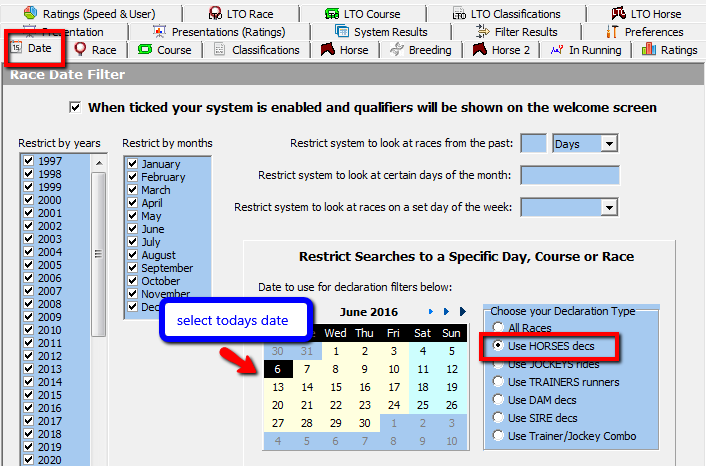
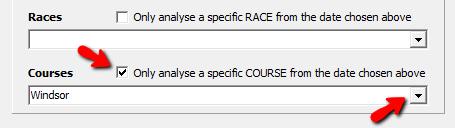
2. Choose a Course
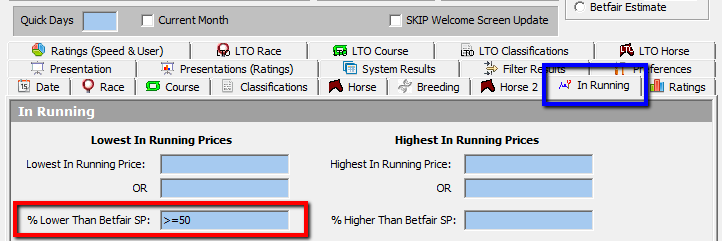
3. Then in in running tab set % lower than Betfair SP to >=50 (or whatever percentage you require)
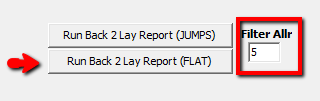
4. Then click on run Back 2 Lay Report (Flat) in this example you can add in a filter of number of runs using the box ( in this example 5)
5. The report will be generated similar to the one shown in the image below and you can see the equivalent report on the web site. The new report in the software adds the power rating rank if you have them imported into user rating 1 and also if you run it on a day where results are known you can see the actual percentage each horse went lower in running in the %DiffLOW column.