
Bet Finder
Bet Finder Help Guide
Filter hundreds of runners in seconds using quick-fire filters across three powerful modes
What is Bet Finder?
Bet Finder is a powerful filtering tool that lets you scan every runner across today's race cards and narrow them down to a focused shortlist using quick-filter buttons. No complicated forms — just click the filters that match your angle and the results update instantly.
It operates in three modes — Bet, Lay, and Trade — each with its own set of filters designed for that specific betting approach.
Three Modes
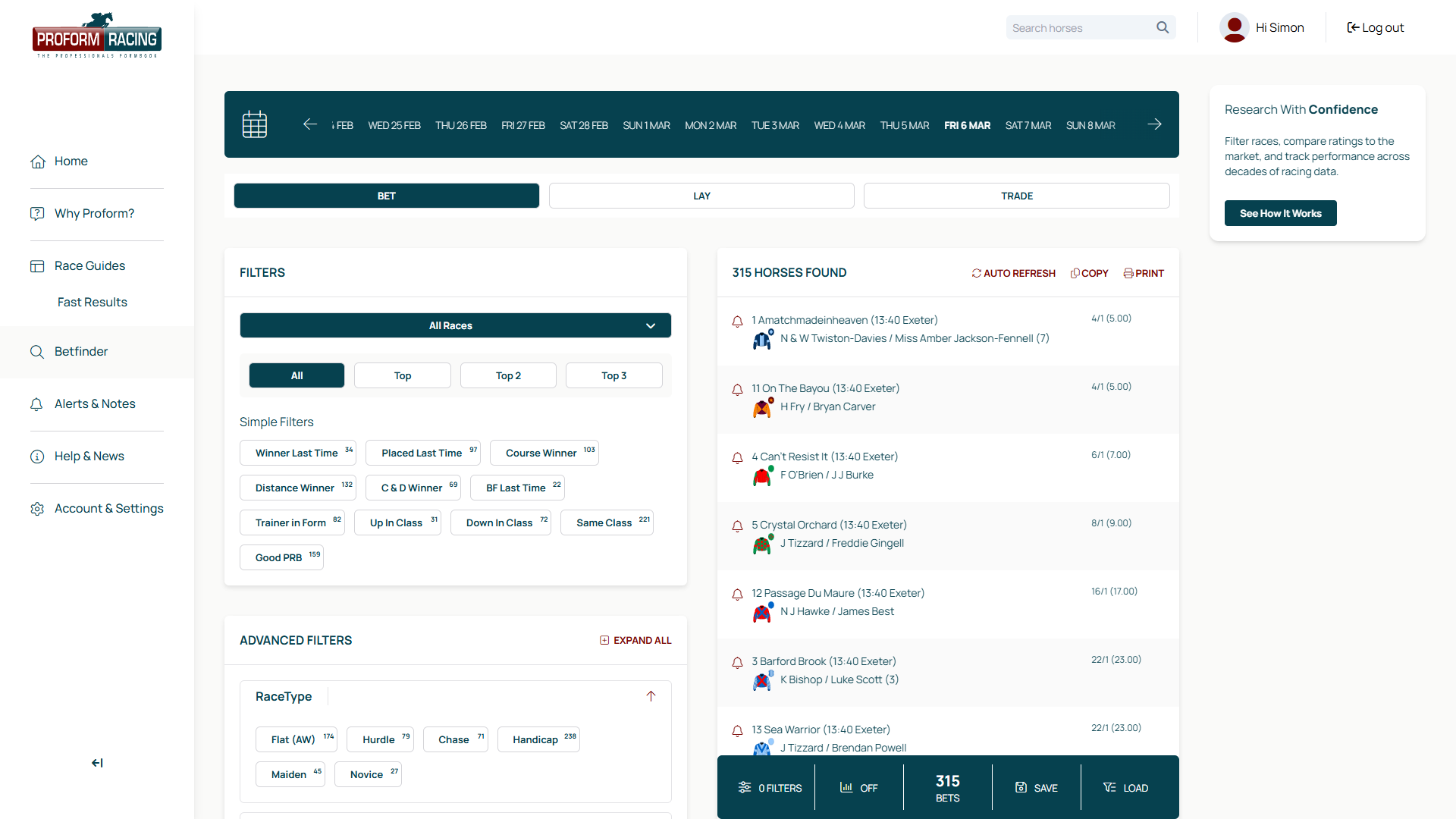
Switch between modes using the tabs at the top of the page. Each mode has different filters tailored to that betting style.
Bet Mode
Find horses to back. Filters highlight positive form indicators.
- ✓Winner Last Time
- ✓Course Winner
- ✓Distance Winner
- ✓Trainer in Form
- ✓Jockey in Form
- ✓Won at Going
- ✓Favourites
- ✓and more...
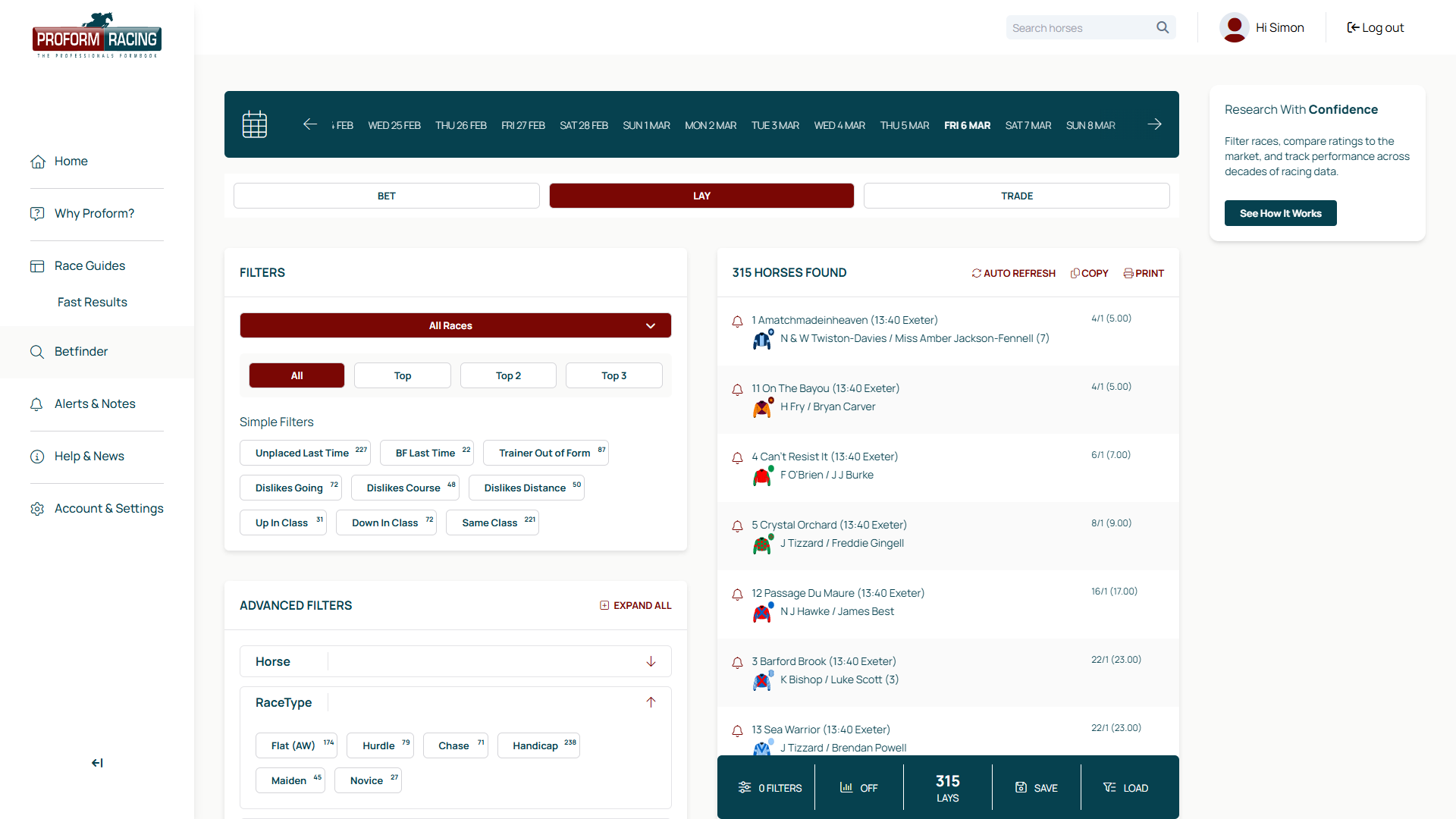
Lay Mode
Find horses to lay. Filters highlight negative form indicators.
- ✓Unplaced Last Time
- ✓Dislikes Going
- ✓Trainer Out of Form
- ✓Jockey Out of Form
- ✓Never Won at Distance
- ✓Drifting in Market
- ✓and more...
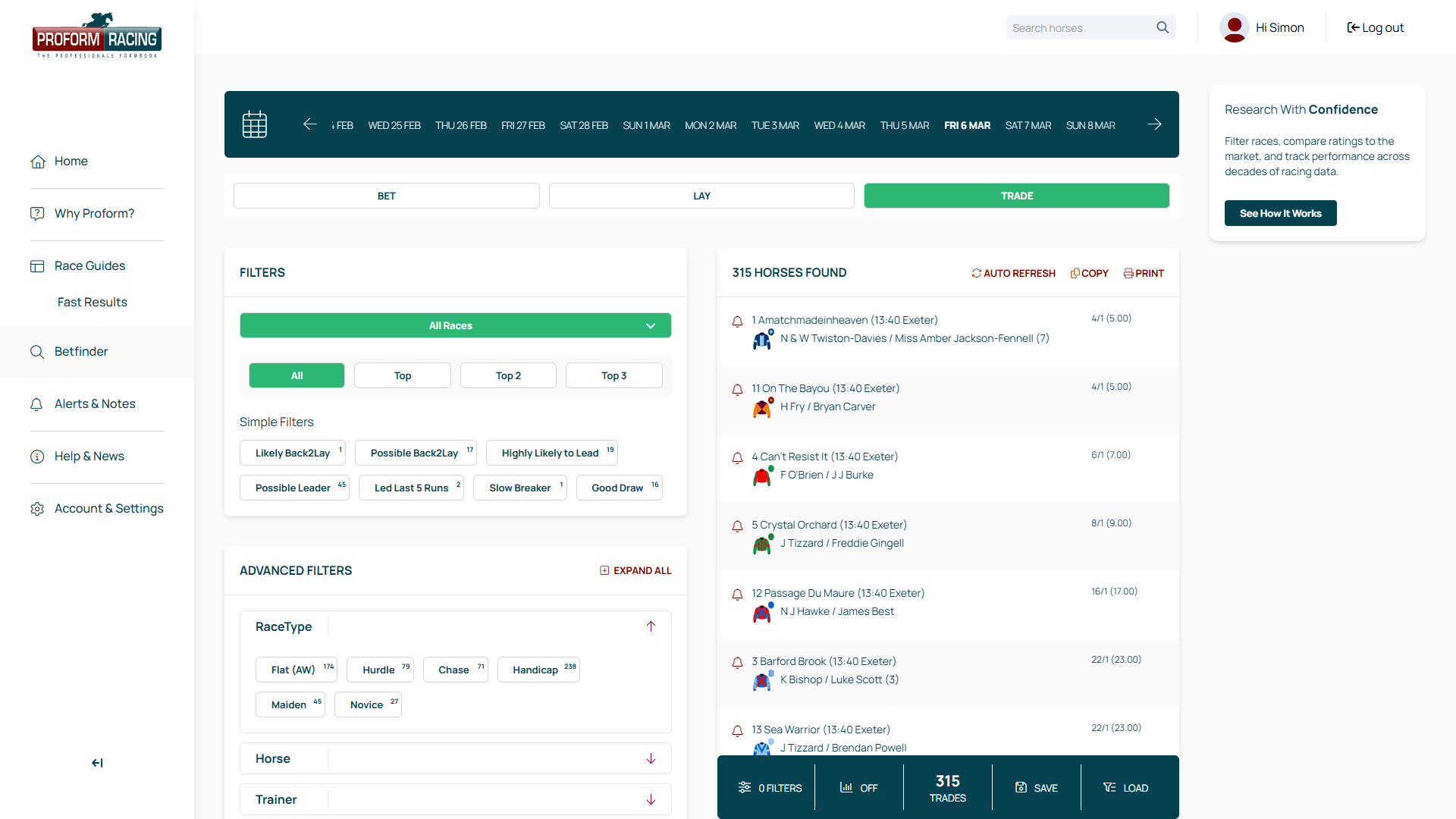
Trade Mode
Find horses to trade on the exchanges. Filters built for in-play strategies.
- ✓Likely Back to Lay
- ✓Led Last Five Runs
- ✓Slow Breaker
- ✓Good Draw
Using Filters
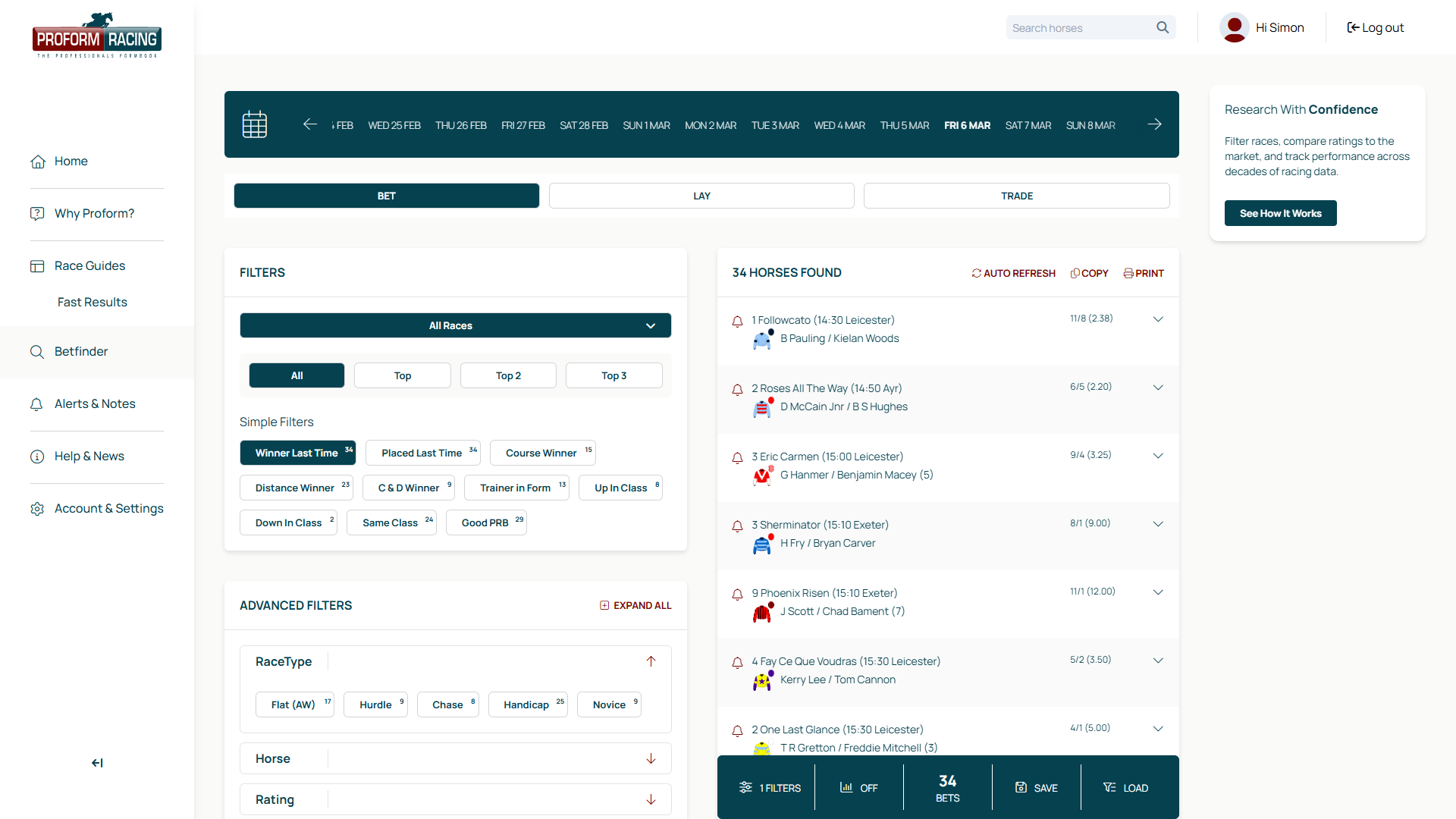
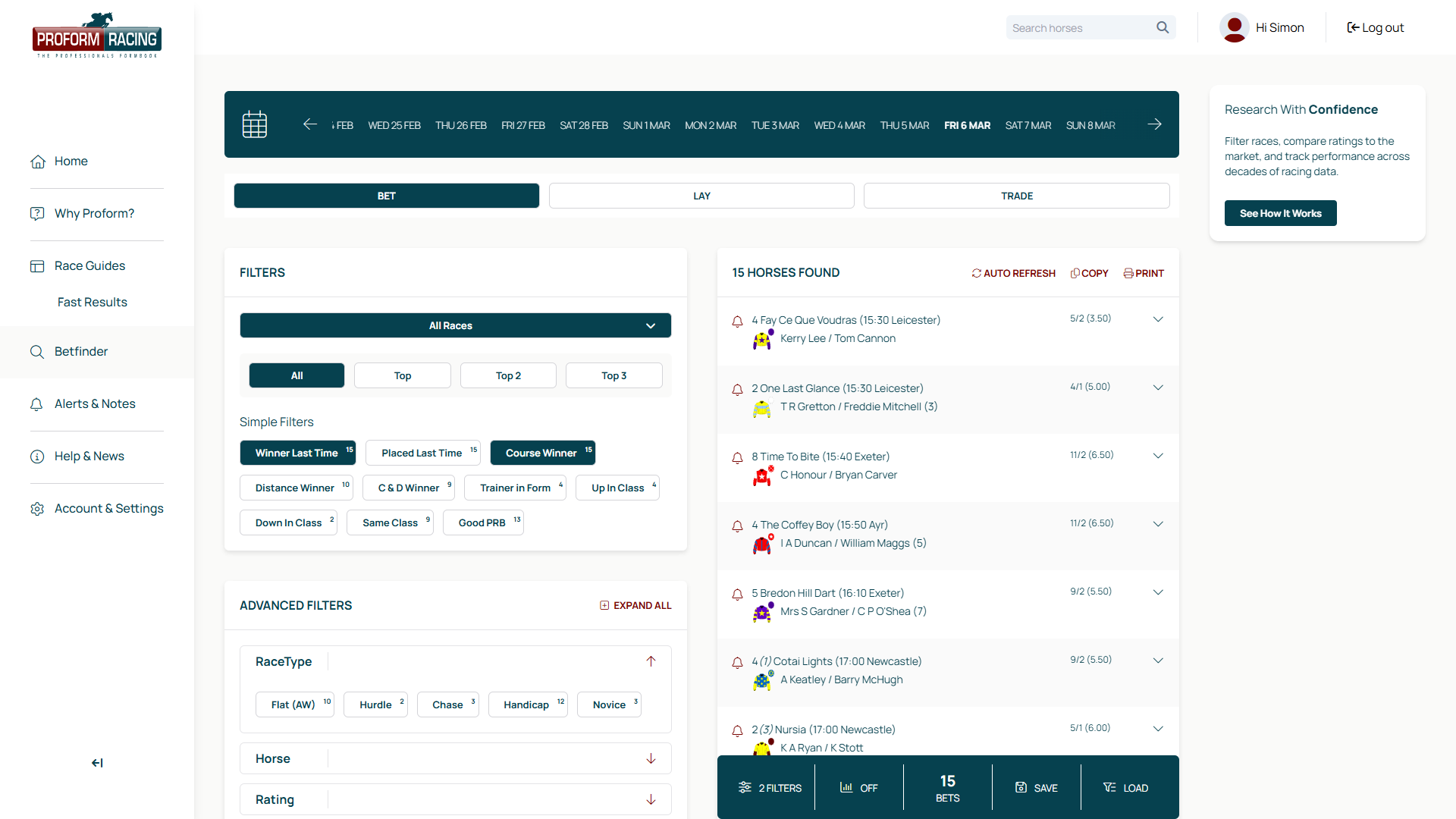
Click any filter button to activate it. Active filters are highlighted and the results list updates immediately. The "Horses Found" counter shows how many runners match your current selection.
- ✓Choose your mode (Bet, Lay, or Trade) using the tabs at the top
- ✓Click a filter button to activate it — for example, "Winner Last Time"
- ✓The results list updates instantly, showing only matching runners
- ✓Click the same filter again to deactivate it
Stacking Filters
The real power of Bet Finder is stacking multiple filters together. Each additional filter narrows your shortlist further — going from hundreds of runners down to a focused selection in just a couple of clicks.
Race Dropdown
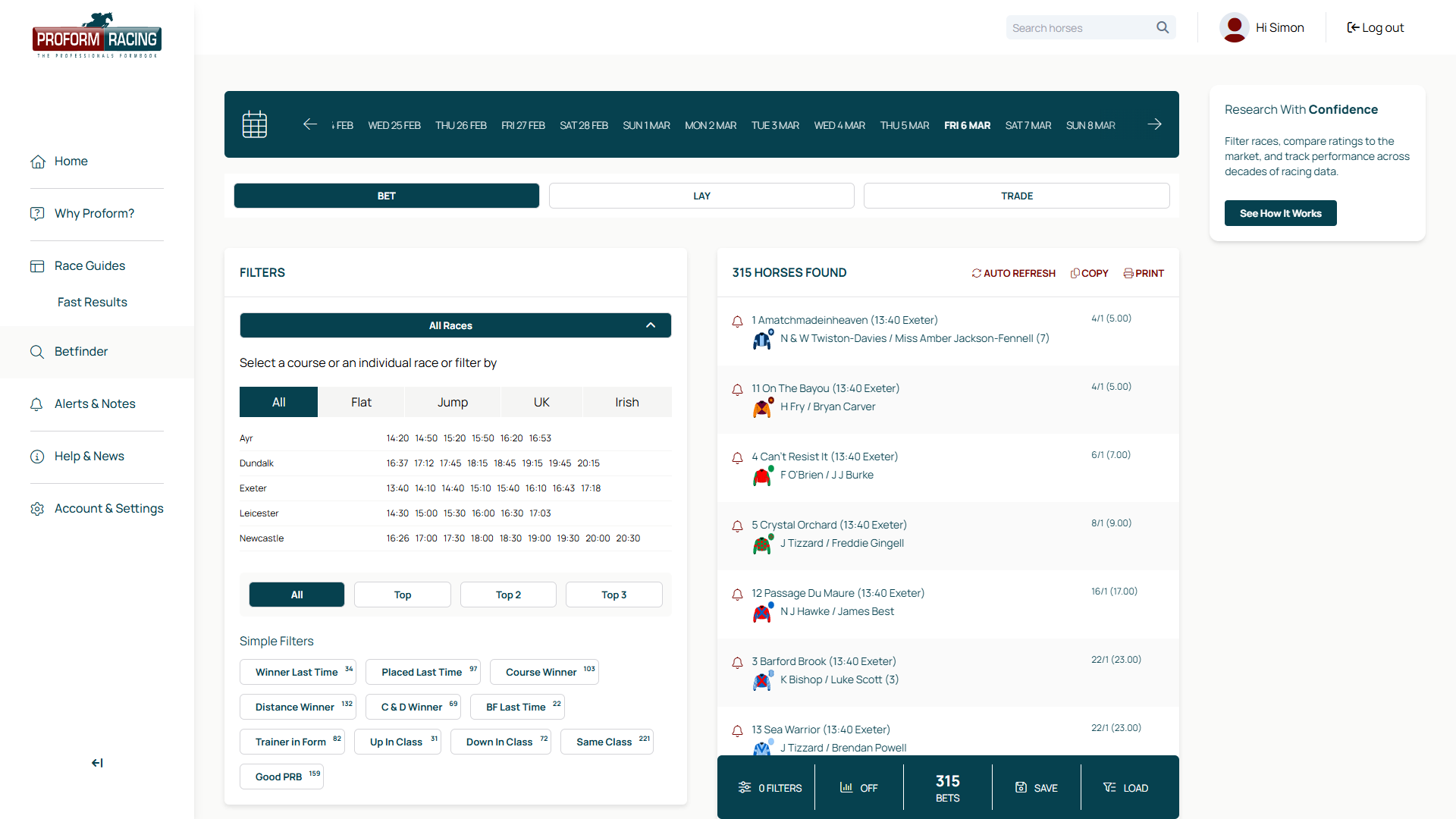
By default, Bet Finder searches across all of today's races. Use the race dropdown to focus on a specific course or individual race.
The dropdown includes tabs for Flat, Jump, and UK to quickly filter the meeting list.
Save & Load Filters
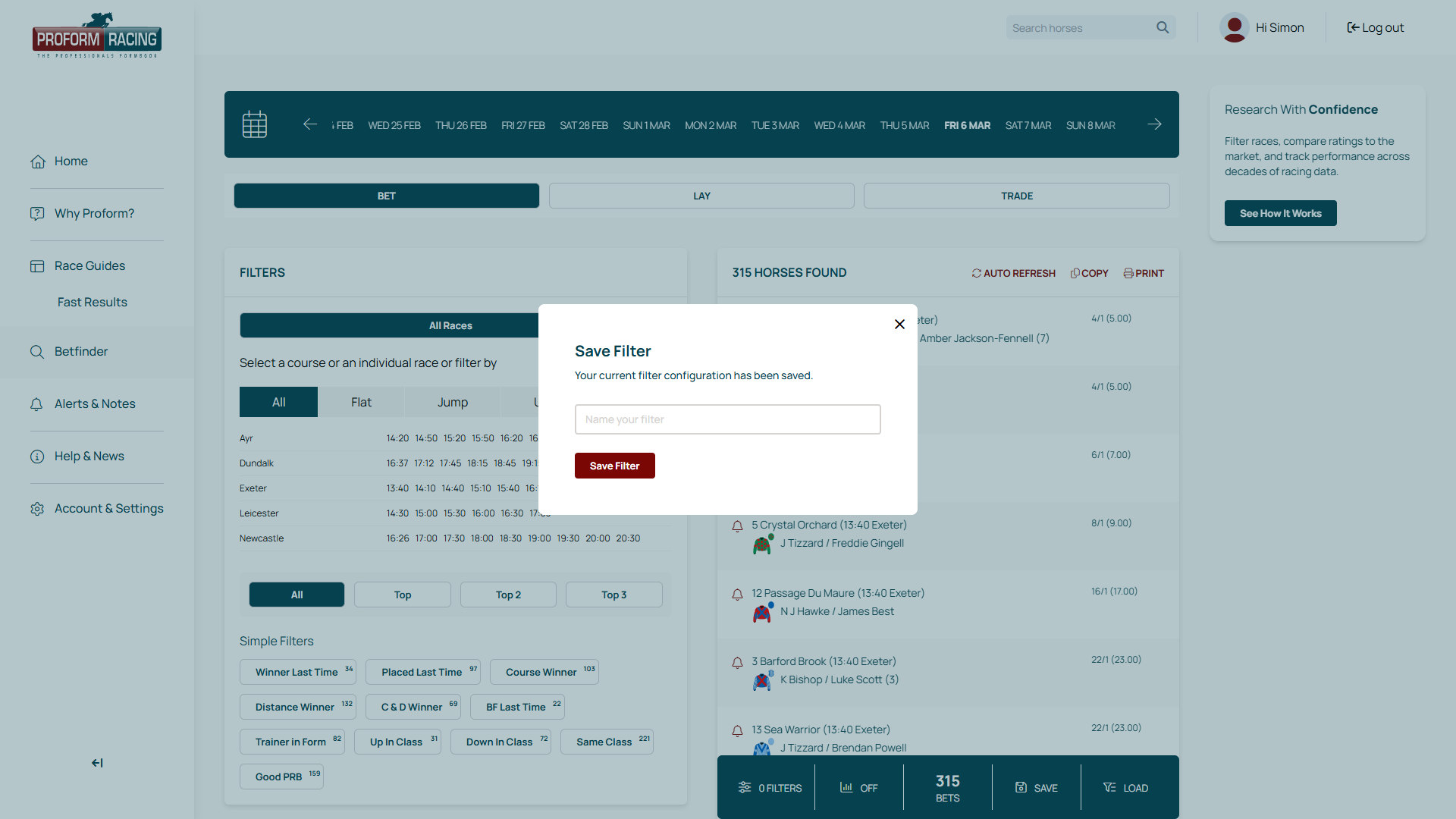
Found a filter combination that works? Save it for next time. Click Save in the bottom bar, give your filter set a name, and it's stored for future use. Click Load to restore any of your saved filter combinations.
- ✓Save unlimited filter combinations
- ✓Each save remembers the mode, active filters, and sort order
- ✓Load with one click to restore your setup
- ✓Build your own system over time
Quick Reference
- ✓Switch between Bet, Lay, and Trade modes using the tabs
- ✓Click any filter button to toggle it on or off
- ✓Stack multiple filters for more precise results
- ✓Use the race dropdown to focus on a specific meeting or race
- ✓Sort results using the rank buttons (Best Odds, Most Profit, etc.)
- ✓Save your favourite filter combinations for quick access
- ✓Results update live — no need to click a search button