
Auto Non-Runner Removal Tool
Auto Non-Runner Removal Tool
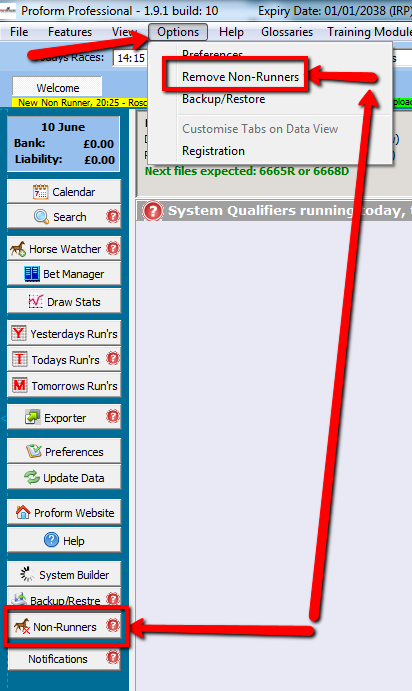
To remove non runner either click Non-Runners on the side bar, or go to Options then Remove Non-Runners.
Auto update welcome screen tick box added to non-runner removal tool.

Make sure you tick the Update Welcome Screen button before ticking the Auto Mode button otherwise it will not work.
This is generally for those linking welcome screen selections to BF Bot Manager so that non runners trigger new bets and selections on the welcome screen are updated and then the BF Bot auto updates them.
When ticked in conjunction with auto non-runner removal it will update the welcome screen.
NOTE: if you have a lot of systems every time a non-runner is found you will get a lag or wait cursor while the welcome screen updates.